
Getting Jim Hogg County Court Records
Start by naming the right office. The Jim Hogg County and District Clerk holds 229th Judicial District Court files and serves as clerk of the Constitutional County Court. District criminal and civil requests go to the district side. County cases and probate go to the county side. Justice-court citations and civil matters stay with the precinct court. Visit the clerk at 102 E. Tilley, P.O. Box 878, Hebbronville, TX 78361, or call (361) 527-4031. The office opens 9 a.m. to noon and 1 to 5 p.m. on weekdays except holidays.
Several channels can carry the same request. The Tyler searches on the district and county sides can locate portal-indexed matters, and a phone call before mailing helps. Written requests can go by official email, fax, mail, or at the counter; the fax line is (361) 232-5875. re:SearchTX carries permitted records from participating courts, though its Jim Hogg coverage is not confirmed. Ask about a public terminal before making the trip.
- Name the court level, cause number, document, and date range.
- Check the proper Tyler endpoint or district docket archive.
- Confirm custody, public status, cost, and delivery method by phone.
- Submit through the confirmed email, fax, mail, or counter route.
- Specify a plain, electronic, certified, or redacted copy.
Jim Hogg Docket and File
Start by knowing which product you actually need. A Jim Hogg County court docket shows what the judge set on a given day. A register of actions lists the events entered in a case over time. The case file is deeper still, holding the public motions, pleadings, signed orders, and judgments. A fourth option exists too: a certified copy, which the clerk authenticates. The distinction matters here. The 229th District Court archive posts dated setting sheets rather than a full document library.
- Setting docket
- A calendar snapshot of scheduled court work.
- Register of actions
- The chronological index of events recorded in a case.
- Case file
- The public documents kept for the matter.
- Certified copy
- A clerk-authenticated copy, subject to access rules.
A setting on a Jim Hogg County docket is just a scheduling entry. It tells you nothing about how the judge ruled. When a motion shows up, it is only a request, so pull the signed order or judgment if you need the real result in that court record.
Jim Hogg County Court Record Types
Which court heard the case decides where the file lives. The 229th District Court covers general-jurisdiction work. District civil, family, and felony files all sit there. At the Constitutional County Court you will find county-level cases, probate, listed civil matters, Class A and B misdemeanors within its jurisdiction. It also takes appeals from the justice courts. Fine-only misdemeanors, small civil claims, magistrate matters, inquests, and other precinct records belong to the four Justice Courts. Each keeps its own docket.
- Docket sheets and registers of actions
- Petitions, complaints, answers, motions, and notices
- Signed orders, judgments, pleas, and dispositions
- Public probate, civil, criminal, and family records
- Justice-court citation and civil records
One caution about the County Clerk's property index: it is not a court-file search. A foreclosure can leave a case in the court docket and a separate land record, and each one has to be looked up in its own system.
Build a Jim Hogg Copy Request
A tight, complete request gets routed to the right statutory side faster. Tell the unified office which court you need, the cause number if you have it, and a safe description of the case. Add the document name, the date range you want, your preferred format, and how you'd like it delivered. Contact information rounds it out. No cause number? Say so plainly and ask for a clerk search. It also helps to ask up front whether the item is public, archived, sealed, or restricted, or whether it can be released with redactions.
Useful request wording: Please identify whether the Jim Hogg County or District Clerk holds this record, then quote the current cost for a plain, certified, or electronic copy.
The unified office publishes no standalone request form. It makes no fixed promise about processing time. Before emailing any details, confirm that formal requests are actually accepted that way. One caution worth repeating: a time-sensitive filing is not a record request. Don't treat the two as the same errand. And don't mail a request to the 229th court's Rio Grande City administrative office unless you have current filing instructions telling you to.
Inside a Jim Hogg Court Record
The public district setting PDFs lay cases out in five columns. The pattern is easy to follow. Civil and criminal samples both use Cause No., Style, Setting, Attorney, and Notes. Criminal samples show an observed YY-CRJ-NN pattern. Civil samples use CC-YY-sequence. Neither one is an official numbering rule. The full case file may hold far more than this sheet ever will.
| Cause number | Local identifier; observed patterns are not guaranteed. |
|---|---|
| Style | Case caption, with protected details withheld where required. |
| Setting | Scheduled event, such as status or order entry. |
| Attorney | Counsel or a pro se notation when shown. |
| Notes | Procedure text checked against the signed record. |
| Documents | Public pleadings, orders, and judgments requested from the clerk. |
The PDF makes no promises about completeness. It may not list all parties, every filing, document images, a ledger, or the final outcome. When a short note and a signed document disagree, the signed document controls.
Jim Hogg State and Federal Records
State and federal cases live in two separate worlds. A Jim Hogg County court docket is a Texas state record. The local clerk handles it. PACER, by contrast, is the federal system. It has its own courts and its own docket search. A county case never lands there just because a local name is attached. A federal case will not surface in the county's Tyler screen either. The official PACER pricing page draws that line clearly.
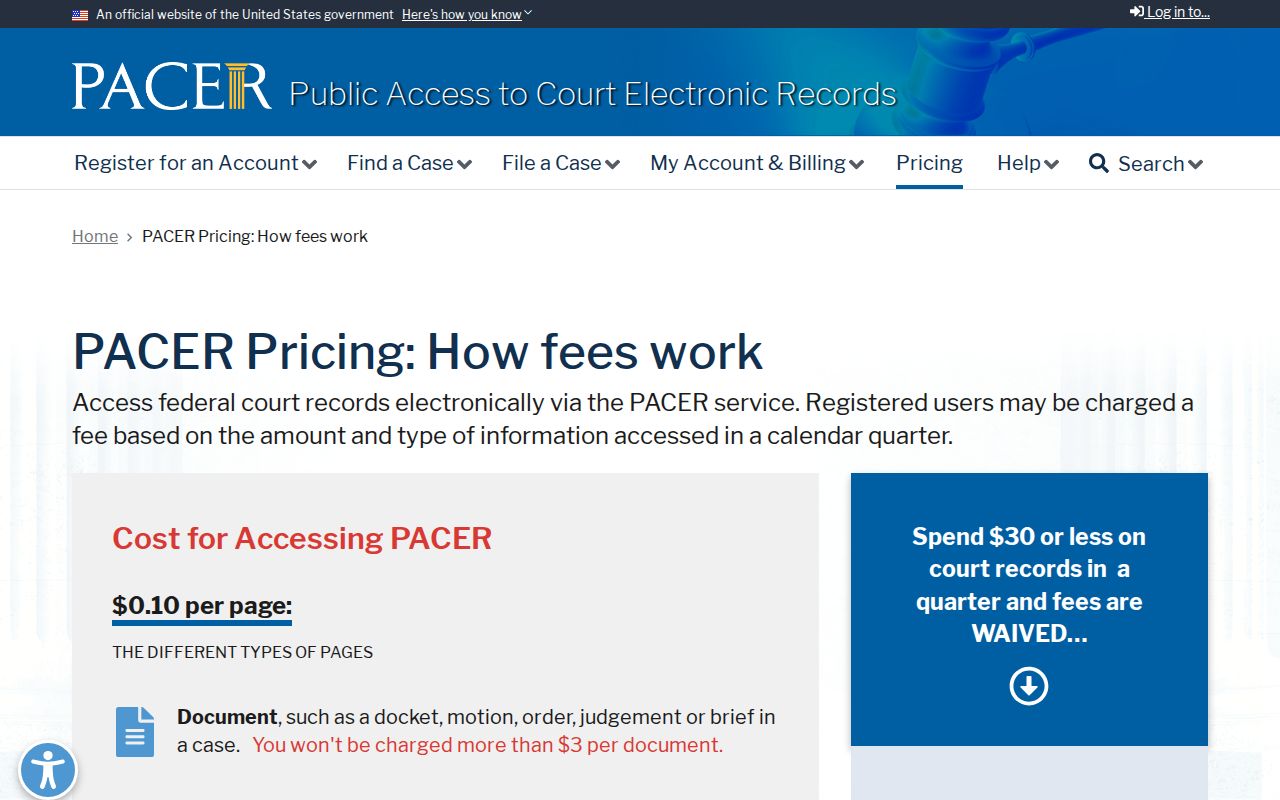
The custody rule is simple. Go to the Jim Hogg clerk for state trial court records. For a federal cause, use the assigned federal clerk or PACER instead.
Fees and Certified Copies
Two kinds of copies exist. A plain copy just reproduces the court record. A certified copy adds the clerk's authentication, which courts and agencies usually demand. Texas statutes set baseline charges for a district docket search, certification, and per-page fees. Jim Hogg County rates track close to those baselines in several categories. But check the statute and the linked 2025 local schedule for the exact current total, since vendor charges can shift without notice.
| Item | Amount |
|---|---|
| District search without docket number | $5 |
| Certification | $5 |
| Printed copy | $1 per page |
| Electronic document up to 10 pages | $1 |
| Electronic document over 10 pages | $0.10 per page |
| District abstract of judgment | $8 |
| re:SearchTX public document | $0.10 per page, $1 minimum |
The district fee law and the county fee law set the baselines, so ask the clerk for a quote before you order copies.
Jim Hogg County and District Clerk
102 E. Tilley
Hebbronville, TX 78361
(361) 527-4031
Jim Hogg Property Index Boundary
The County Clerk property search covers recorded instruments such as deeds and liens. It is not a court docket. A deed search there will never surface a district court case, a Tyler docket entry, or a filed judgment. So treat it as its own tool. Knowing that line saves you from a false no-result. A Jim Hogg case may actually exist.
| Tool | Best use | Not a substitute for |
|---|---|---|
| Property index | Recorded land instruments | Court file |
| Docket PDF | Dated settings | Full register |
| Find My Case | Portal-indexed matter | Certified copy |
Some disputes leave two trails. A lawsuit in the court docket can also produce a recorded instrument. When that happens, pull the judgment from the clerk, then search the land index on its own.
Sealed Records and Public Access
Judicial records in Texas sit outside the usual Public Information Act process. Rule of Judicial Administration 12 controls how you request them. Send your ask to the custodian. If you want a copy or access and get turned down, ask for the legal basis in writing. Also ask for review under Rule 12. Sometimes only part of a court file is off limits. A request for the public or redacted portion may still be proper.
Plenty can stay hidden or get blacked out. Juvenile material, sealed civil files, expunged records, financial data, full birth dates, home addresses, government identifiers, and information about minors all qualify. A hearing held in public does not make every document public. And no certified copy can override a seal.
Key Rules:
Texas Rule of Judicial Administration 12 sets the request and review framework.
Government Code § 552.0035 places judiciary information under court rules or other law.
Rules 76a and 21c address sealing and sensitive-data redaction.
Run the county case lookup to find the cause, then lean on the clerk for access and certification.
Jim Hogg Rule 12 Requests
Suppose your online docket search turns up no public record for a case. Your next step is a narrow written request to the custodian under Texas Rule of Judicial Administration 12. Name the court, the record, the date, and the copy you want. If the answer is no, ask for the written legal basis. Also ask for the Rule 12.9 review route. This is not the same as a Texas Public Information Act request. Judicial records answer to court rules and other law.
One more thing worth asking: can a redacted version come out if only part of the record is protected? This route cannot break a seal, a juvenile restriction, an expunction, or any valid order. It simply gives the Jim Hogg County custodian enough detail to sort out what is public. That is what it does.